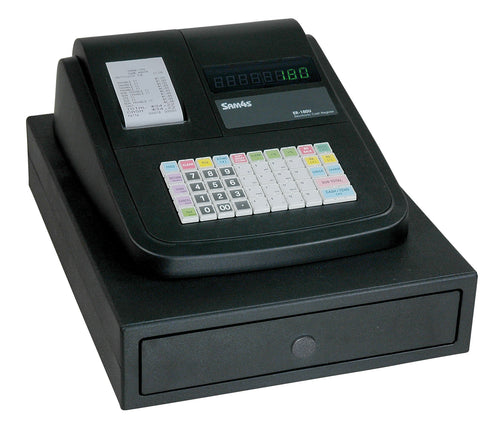
SAM4S ER-180U Electronic Cash Register
Simple standalone checkout. No scanner, scale, remote printer or integrated-payment connections.
Register Only: $249
Programmed & Ready: $349
Register + one hour of standard programming and setup.

Product added to cart

Start with how your business rings sales, what you need to scan or print, and what you are replacing. We help you choose the register, programming and accessories that actually fit.
New to buying a register? How to choose a cash register for your business →
Choose by your counter needs. Prices come from the current product records; programming is optional.
Simple standalone checkout. No scanner, scale, remote printer or integrated-payment connections.
Register Only: $249
Programmed & Ready: $349
Register + one hour of standard programming and setup.
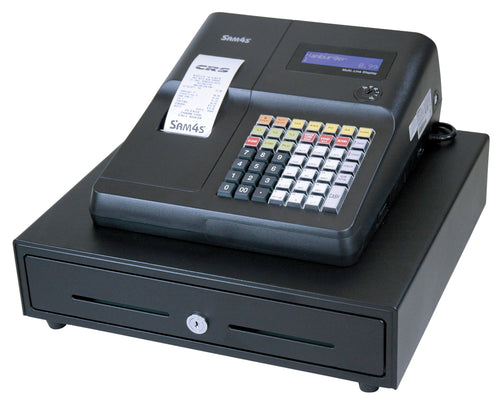
Compact raised-key register. Confirm scanner and payment equipment for your exact setup.
Register Only: $499
Programmed & Ready: $599
Register + one hour of standard programming and setup.
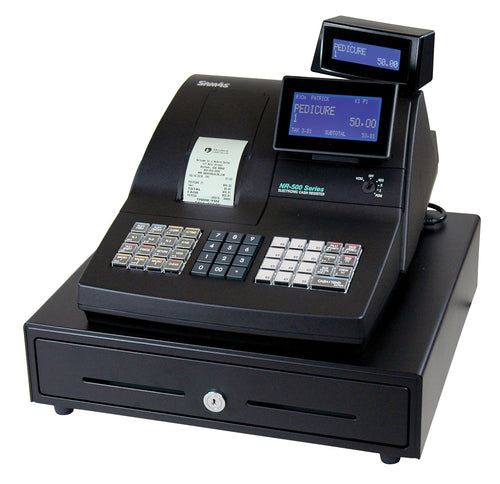
Raised keys and a graphic operator display. Confirm connected equipment before ordering.
Register Only: $565
Programmed & Ready: $665
Register + one hour of standard programming and setup.
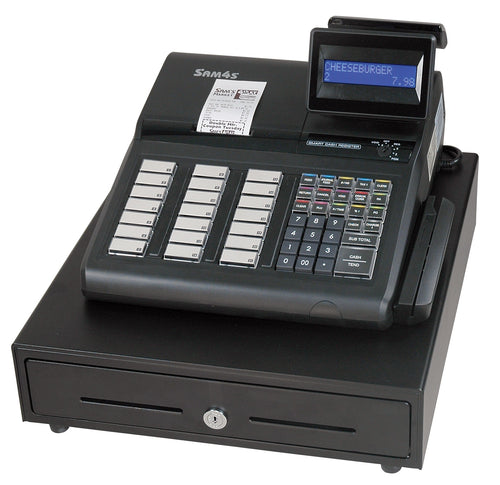
Raised keys for retail checkout. Review your item file and peripheral requirements.
Register Only: $729
Programmed & Ready: $829
Register + one hour of standard programming and setup.
Buying, replacing and programming each have a direct path. Support for a register you already own is here too.
Same registers, framed around how each counter actually rings sales. Compare every current register side by side.
We are not trying to turn every register buyer into a full POS project. Most counters are well served by a traditional register.
Familiar cash-register operation, a physical keyboard, built-in receipt printing and dependable reports. No software subscription to manage.
Best fit: most retail, food-service and service counters that need fast, reliable checkout.Shop registersAn Android operating environment with a physical cash-register keyboard, touchscreen, integrated receipt printing, displays and a cash drawer — the middle step between a register and a POS terminal.
Best fit: counters that have outgrown a traditional register but still rely on fast key entry.Ask about hybrid systemsAn all-in-one touchscreen running POS software, with no fixed key layout. More capability to configure, and more to set up and maintain.
Best fit: businesses that need inventory, employee controls, integrations or several stations.Explore SAM4POSNot sure a register is the right call? Compare a cash register with a full POS system →
If you accept credit or debit cards, we can help match the payment approach to the register and review your current processing setup.
If your existing terminal and processor work well, keep them. We can still sell, program and configure the right cash register around your business.
See register payment options →Want another set of eyes on your current processing? Send us a statement and we can review the setup before you decide whether a change makes sense.
Request a processing review →We can help coordinate the register, programming and payment setup, including traditional pricing, flat-rate and other merchant programs where appropriate.
Explore merchant processing →Manuals, programming, troubleshooting, parts and replacement guidance are here when you need them—without getting in the way of buying the right system.
Tell us what you sell, what you are replacing and what happens at checkout.
Shop by business
Pick your business to see the SAM4S registers we recommend for it, with buying advice, programming and replacement help.
More business guides:Gift & novelty shops ·Bakeries ·Smoke shops ·Boutiques ·Florists ·Thrift stores ·Pet stores ·Farm stands ·Hardware stores
Small business or service counter? See registers for service businesses · Not sure? Use the Register Finder
Find my register
We’ll help you figure it out.
A couple of minutes on what actually separates the models — keyboard style, one printer or two, and how many items you need to ring up. Then answer a few questions and we’ll narrow it to the registers that fit.
Find My RegisterSAM4s Cash Register Experts
Start with the business and the register you have now. We can help select the right current model, plan the programming and connected equipment, coordinate the payment setup when needed, and support the register after the sale.
Cash register basics that matter
Keyboard style and the number of built-in printer stations are practical clues to how a register is intended to be used. They are not absolute rules, but they are excellent starting points.
A flat, programmable keyboard is usually the better fit for restaurants and food service. It gives the operator a large field of programmable item and function keys for fast, repetitive order entry.
Typical fit: restaurants, delis, cafeterias, concessions and other food-service counters.
A raised-key keyboard is usually used in retail, especially when a barcode scanner does most of the item entry. The operator still has dedicated department, tender and function keys without needing a large flat item-key area.
Typical fit: convenience, liquor, specialty retail and stores using UPC or barcode scanning.
A one-printer register has a single built-in print station, normally used for the customer receipt. This is often enough when the business does not need a second printed record retained inside the register.
Ask: Do you only need the customer receipt, or do you also want an internal paper record?
A two-printer register adds a second built-in print station that prints alongside the customer receipt. What that second station is used for varies by model, so confirm it against the model you are considering.
Useful when: the business wants a second printed record alongside the customer receipt, for review, backup or established operating procedures.
Still deciding whether a register is the right shape of tool? Read why businesses still buy cash registers, or see how SAM4S compares with other register brands.
The keyboard, printer configuration and operating style matter more than picking a model by price alone. Prices below come directly from the current Shopify product records.
Both are documented for small retail, service and food-counter applications. The clearest decision is keyboard style.
Both are Ethernet-equipped raised-key models. The ER-925E listing specifically positions it for retail and item-driven checkout.
The ER-940E listing is positioned for food service and menu-driven checkout. The SPS-345 listing adds an eight-line operator display for more detailed retail or food-service checkout.
The AI assistant isn't available right now. Our team can still help:


