

Cash Register vs POS System: Which One Does Your Business Need?
A cash register is still the right choice for many small businesses that need simple checkout, tax calculation, receipts, cash drawer control, and daily reports. A POS system is better when you need more item control, barcode scanning, kitchen printing, payments, age verification, and detailed management tools.
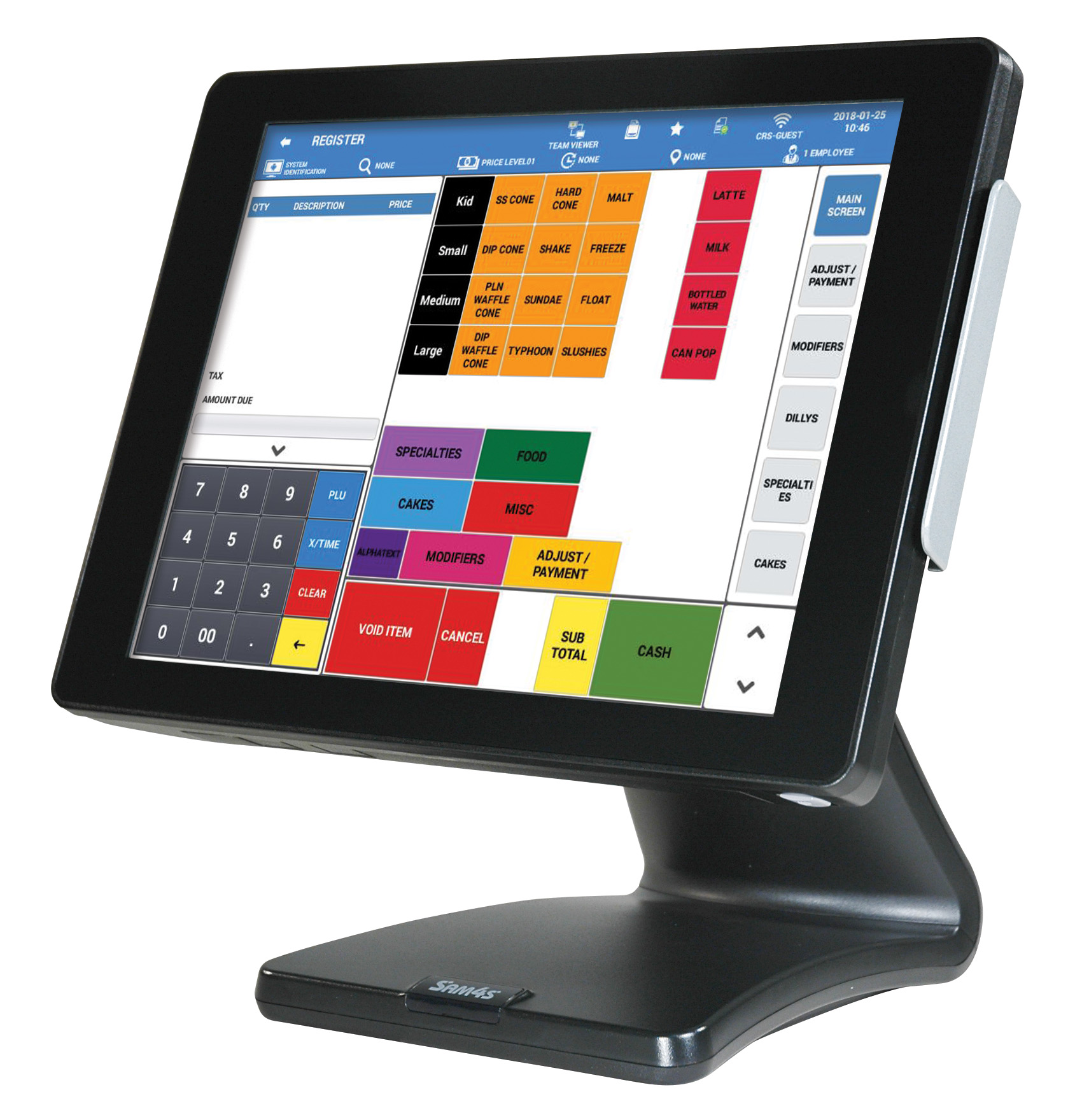
Quick Answer
- Choose a cash register for simple checkout and lower complexity.
- Choose SAM4POS when you need stronger item control, scanning, reporting, kitchen printing, or payment workflows.
- Choose BizTracker Infinity when you need a stronger full POS system for advanced retail, grocery, convenience, liquor, or multi-lane operations.
The Difference Between a Cash Register, SAM4POS, and a Full POS System
The right answer depends on how complicated your business is. A cash register is built for ringing sales. SAM4POS gives merchants a stronger step up from a register. A full POS system like BizTracker Infinity is designed for businesses that need deeper inventory, reporting, payment, scale, and operational control.
Cash Register
Best for simple checkout, cash drawer control, tax, receipts, clerk totals, and end-of-day reports.
SAM4POS
Best when a merchant wants touchscreen checkout, better item control, scanning, kitchen printing, and a more modern workflow than a basic register.
BizTracker Infinity
Best when a business needs a stronger full POS system with advanced inventory, reporting, customer management, scale support, integrated payments, and serious retail workflows.
Think of it as an upgrade ladder.
Cash Register for simple checkout, SAM4POS for a modern register-to-POS upgrade, and BizTracker Infinity for businesses that need a more complete POS system.
Visual Comparison
Images help because merchants can quickly understand the difference between a traditional register workflow, a SAM4POS terminal, and a more advanced POS direction.
Traditional Cash Register
Best for merchants who want a dependable counter register without managing a larger software system.
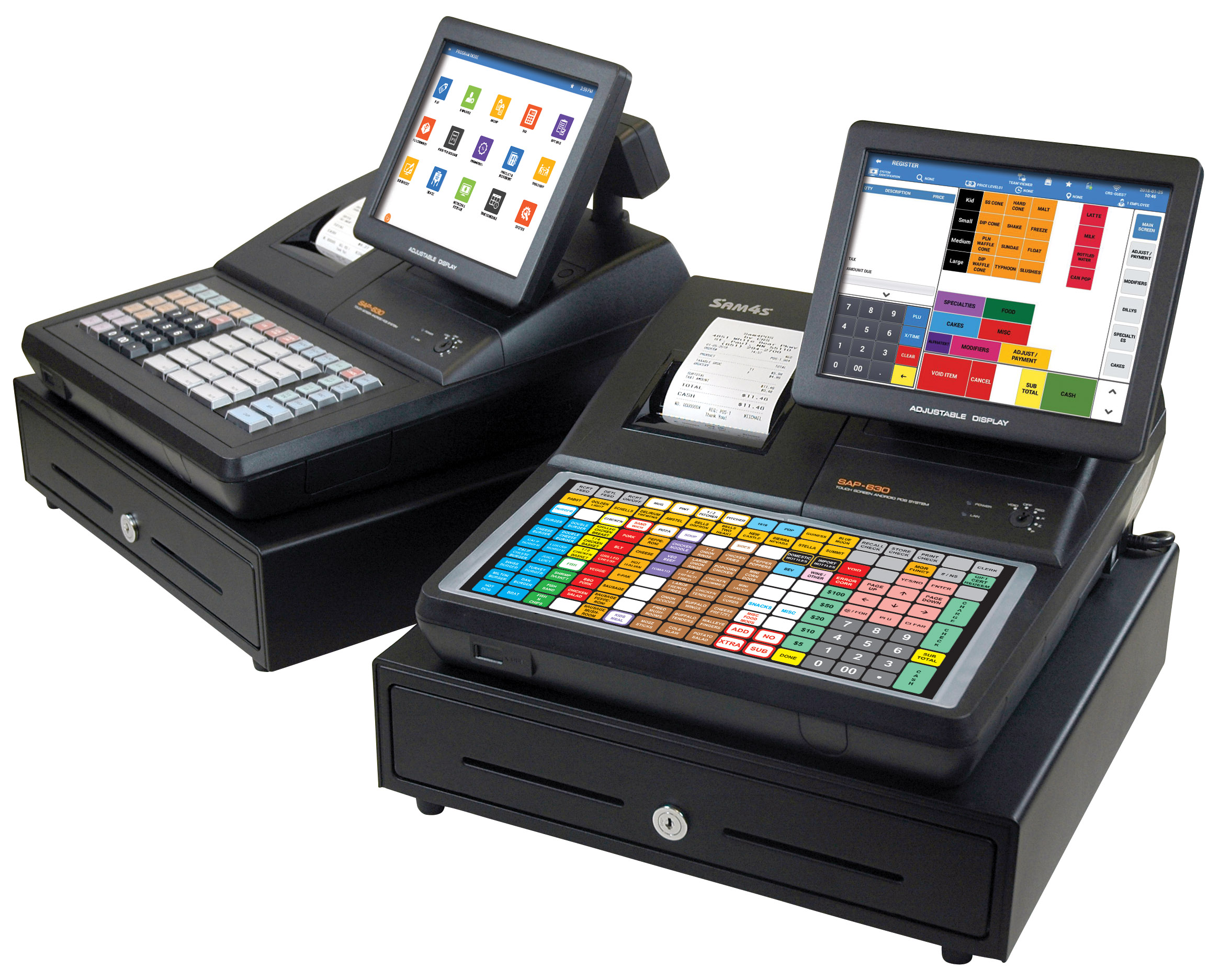
SAM4POS
A stronger step up from a register for touchscreen checkout, item control, scanning, receipts, and POS-style workflows.
Full POS System
Best when the business needs stronger inventory, reporting, customer management, payment integration, scale support, and more advanced controls.
Cash Register vs POS System Comparison
Use this comparison to decide whether a traditional SAM4S cash register is enough, whether SAM4POS is the better next step, or whether your business should look at a stronger full POS system.
| Business Need | Cash Register | SAM4POS / POS System |
|---|---|---|
| Simple checkout | Good Fit Excellent for basic sales, cash drawer control, receipts, and daily totals. |
Good Fit Works well, but may be more system than a very simple business needs. |
| Tax calculation | Good Fit Good for standard taxable and non-taxable item setup when programmed correctly. |
Better Control Better for larger item lists, more detailed tax rules, and easier management. |
| Barcode scanning | Model Dependent Some registers support scanners, but setup depends on the model, cable, and PLU programming. |
Stronger Fit Better for UPC items, retail scanning, price lookup, and item databases. |
| Restaurant menu buttons | Good Fit Flat keyboard cash registers can work well for simple food service and quick menu buttons. |
Stronger Fit Better for modifiers, kitchen printing, takeout, more menu control, and future growth. |
| Kitchen printing | Limited Some register setups can work with printers, but options are more limited. |
Better Fit Better for routing food and drink orders to kitchen or prep areas. |
| End-of-day reports | Good Fit X and Z reports are enough for many merchants. |
Better Reporting Better when you need item reports, employee reports, sales history, and more detailed management tools. |
| Employee control | Basic Good for simple clerk or cashier tracking. |
Stronger Fit Better for employee permissions, detailed activity, and management controls. |
| Payments | Often Separate Many merchants use a standalone credit card terminal with a register. |
Better Workflow Better for businesses that want more connected payment options and checkout workflows. |
| Age verification | Limited Traditional registers are not usually the best tool for advanced age verification needs. |
Better Fit Better for liquor, tobacco, and age-restricted sales workflows. |
| Growth | Best for Simple Operations Great when your workflow stays simple. |
Better for Growth Better when your item list, staff, reporting, and checkout needs are expanding. |
The Upgrade Path: Cash Register to SAM4POS to BizTracker Infinity
Not every merchant needs the same system. This page should help a business choose the right level instead of pushing every customer into one product.
1. Cash Register
Choose a cash register when the business needs a reliable checkout machine without advanced software.
- Simple sales
- Departments or basic PLUs
- Tax calculation
- Receipts
- Cash drawer
- X and Z reports
2. SAM4POS
Choose SAM4POS when the merchant wants a step up from a register while staying in the SAM4S family.
- Touchscreen checkout
- More item control
- Barcode scanning
- Kitchen printing
- Payment workflows
- Better reporting
3. BizTracker Infinity
Choose BizTracker Infinity when the business needs a stronger full POS system for serious retail or food retail operations.
- Advanced inventory
- Customer management
- Integrated payments
- Scale support
- eWIC options
- Multi-terminal workflows
- Stronger reporting
Choose a Cash Register If Your Business Is Simple
A cash register can still be the smartest choice for a small business that wants a dependable checkout station without the cost, setup, or learning curve of a full POS system.
You Ring Simple Sales
If most transactions are simple item entries, department sales, menu buttons, tax, cash, credit, and receipt printing, a cash register may be enough.
You Want Fewer Moving Parts
Cash registers are attractive because they are focused. Employees can learn basic sales, no-sale, voids, reports, and receipts without learning a larger software system.
You Do Not Need Deep Reports
If X reports, Z reports, tax totals, department totals, PLU totals, and clerk reports are enough, a cash register can be a practical fit.
Cash Registers Are Often Best For
- Small retail stores
- Simple restaurants and counter service
- Food trucks and small food service operations
- Small service businesses
- Vendors that need receipts and basic reports
- Businesses using a standalone payment terminal
- Merchants who want simple daily closing reports
Common Cash Register Limitations
A cash register becomes frustrating when the business grows beyond simple checkout. If employees struggle to find items, managers need better reports, scanning is becoming important, or kitchen printing is needed, it may be time to look at SAM4POS or BizTracker Infinity.
- Harder item programming
- Limited item database control
- Limited reporting compared to POS
- Scanner setup may be model dependent
- More limited payment workflows
- Kitchen printing may be limited
- Harder to manage larger item lists
Choose SAM4POS If You Need More Than a Register
SAM4POS is a better fit when your business needs a more modern checkout workflow, stronger item control, scanning, printers, payments, age verification, and reporting.
You Have More Items
If you have a growing product list, barcode items, menu categories, modifiers, or price changes, a POS system is easier to manage than register programming.
You Need Better Workflows
Restaurants, liquor stores, convenience stores, and retail stores often need workflows that go beyond a basic register, such as kitchen printing, scanning, or age verification.
You Want Better Management
POS systems are better when managers need more detailed reports, item history, employee tracking, and better control over daily operation.
Where SAM4POS Fits Best
SAM4POS is a good option for merchants who want to move beyond a traditional cash register without jumping into a more advanced retail POS system.
- Touchscreen checkout
- Basic POS-style item control
- Retail and food service use
- Barcode scanning
- Kitchen printer options
- More modern daily operation
When BizTracker Infinity Is the Better POS
BizTracker Infinity is the better direction when the business needs a more complete POS platform, especially for serious retail, grocery, convenience, liquor, tobacco, and multi-lane environments.
- Advanced inventory control
- Integrated scale support
- eWIC options for eligible WIC retailers
- Customer and loyalty workflows
- Stronger reporting
- More advanced payment and checkout control
- Better fit for complex retail operations
Simple Decision Guide
Use this section as a quick way to decide which direction makes sense.
Buy a Cash Register If
- You need a reliable checkout machine.
- You have a small item list or use departments.
- You only need basic tax, receipts, and reports.
- You use a standalone credit card terminal.
- Your employees need a simple workflow.
- You want lower complexity.
- You do not need advanced inventory, kitchen routing, or age verification.
Choose a POS System If
- You need touchscreen checkout.
- You sell many barcode items.
- You need kitchen printer routing.
- You want stronger reports and item control.
- You need age verification workflows.
- You want better payment integration options.
- You are replacing an old register that no longer fits the business.
Business Type Recommendations
Different businesses need different checkout tools. The right choice depends on speed, item control, reporting, employees, accessories, payments, and future growth.
Retail Stores
A raised-key cash register may work for small retail stores with simple departments and basic item tracking. Retailers with many barcode items should consider SAM4POS or BizTracker Infinity.
- Cash register: simple departments and basic sales
- SAM4POS: barcode scanning, item lookup, stronger workflow
- BizTracker Infinity: advanced inventory, reporting, customers, and multi-terminal needs
Restaurants
A flat keyboard register can work well for simple food service. SAM4POS is better for menu management, modifiers, kitchen printing, and more detailed restaurant workflows.
- Cash register: simple menu buttons and counter service
- SAM4POS: kitchen printing, modifiers, stronger control
- BizTracker Infinity: stronger option when the business also needs retail, grocery, liquor, or scale workflows
Convenience and Liquor Stores
These stores often outgrow a basic register because of barcode scanning, age-restricted items, tax rules, payment needs, inventory, and fast checkout requirements.
- Cash register: simple sales and basic reports
- SAM4POS: scanning, age verification, better item control
- BizTracker Infinity: stronger full POS for serious convenience, liquor, tobacco, grocery, and multi-lane operations
Why Merchants Still Buy Cash Registers
Cash registers remain popular because many businesses do not need a full software platform. They want something dependable at the counter that rings sales, prints receipts, calculates tax, opens the drawer, and gives them a daily report.
- Simple operation
- Lower complexity
- Familiar keyboard layout
- Basic tax and report functions
- Works well with standalone payment terminals
- Good for small businesses with simple checkout
Why Merchants Upgrade to POS
Merchants usually upgrade when the register starts slowing them down. The business may need more items, better scanning, kitchen printing, integrated payments, better reports, age verification, inventory, or easier management.
- Too many items to manage manually
- Barcode scanning is becoming important
- Employees need easier checkout
- Reports are not detailed enough
- Kitchen or prep printing is needed
- Payments and age verification need a better workflow
Signs You Have Outgrown a Cash Register
A cash register is not wrong, but it may no longer be enough if the business has become more complicated.
Programming changes take too long
If changing prices, adding items, adjusting tax, or training staff has become a constant problem, a POS system may save time.
Your item list keeps growing
Large product lists, UPC scanning, menu changes, departments, modifiers, and item reporting are easier to manage on a POS system.
You need better reporting
If X and Z reports are not enough, a POS system gives better visibility into items, employees, payments, and daily sales patterns.
You need better checkout workflows
Kitchen printing, age verification, scanner workflows, payment options, employee permissions, scale support, and inventory control are signs that a POS system may be a better fit.
Related Cash Register and POS Help
These pages can help you compare options, solve register problems, or choose the right next step.
Cash Registers
Compare SAM4S cash register options for retail, restaurants, and simple checkout.
View cash registersBizTracker Infinity
Explore a stronger full POS system for advanced retail, grocery, convenience, liquor, and multi-lane operations.
View BizTracker InfinityRegister Problems
Get help with common register issues like tax, receipts, drawers, scanners, and reports.
View common problemsProgramming Help
Understand register programming for departments, PLUs, tax, receipts, clerks, and reports.
View programming helpCash Register vs POS System Frequently Asked Questions
These answers help merchants decide whether they should buy a cash register, upgrade to SAM4POS, consider BizTracker Infinity, or ask for help choosing the right setup.
Is a cash register still a good choice for small businesses?
Yes. A cash register is still a good choice when the business needs simple checkout, tax calculation, receipts, a cash drawer, and daily reports without advanced software features.
When should I choose a POS system instead of a register?
Choose a POS system when you need barcode scanning, more item control, kitchen printing, age verification, stronger reports, employee controls, inventory tools, or better payment workflows.
Is SAM4POS easier than programming a cash register?
For businesses with larger item lists, scanning, menu changes, or more detailed workflows, SAM4POS can be easier to manage than programming a traditional register. For very simple checkout, a cash register may still be easier.
When is BizTracker Infinity better than SAM4POS?
BizTracker Infinity may be better when the business needs advanced inventory, stronger reporting, customer management, scale support, eWIC options, integrated payments, multi-terminal operation, or more complete retail and grocery workflows.
Can a cash register work with a barcode scanner?
Some cash registers can work with barcode scanners, but compatibility depends on the register model, scanner, cable, port settings, and PLU programming. A POS system is usually better for larger barcode item lists.
Can I use a credit card terminal with a cash register?
Many merchants use a standalone credit card terminal with a cash register. The cashier rings the sale on the register and enters the payment amount into the terminal separately.
Are cash register reports enough?
Cash register reports are enough for many small businesses. If you need more detailed item, employee, payment, inventory, customer, or sales history reporting, a stronger POS system may be a better fit.
What is the biggest mistake when choosing a register or POS?
The biggest mistake is buying based only on price. The better approach is to think about how you ring sales, how many items you have, whether you scan barcodes, what reports you need, how employees work, and whether the system can grow with the business.
Should I replace my old cash register with another register?
If the old register worked well and your business is still simple, replacing it with another cash register may be the right move. If your business has grown, SAM4POS or BizTracker Infinity may be a better long-term upgrade.
What should I tell SAM4S Direct when asking for advice?
Tell us your business type, current register model, number of items, whether you need scanning, whether you need kitchen printing, how you take payments, what reports you want, and what problems you are trying to solve.